Project
Sharing
Learn how to share your project with colleagues to collaborate on your color palette.
Every project in Atmos has a unique URL. To share your project you just have to enable sharing for it and send the link to your colleague.
Enable project sharing
To enable project sharing, you need to:
- Open the project
- Click on the 3 dots next to Export button
- Select
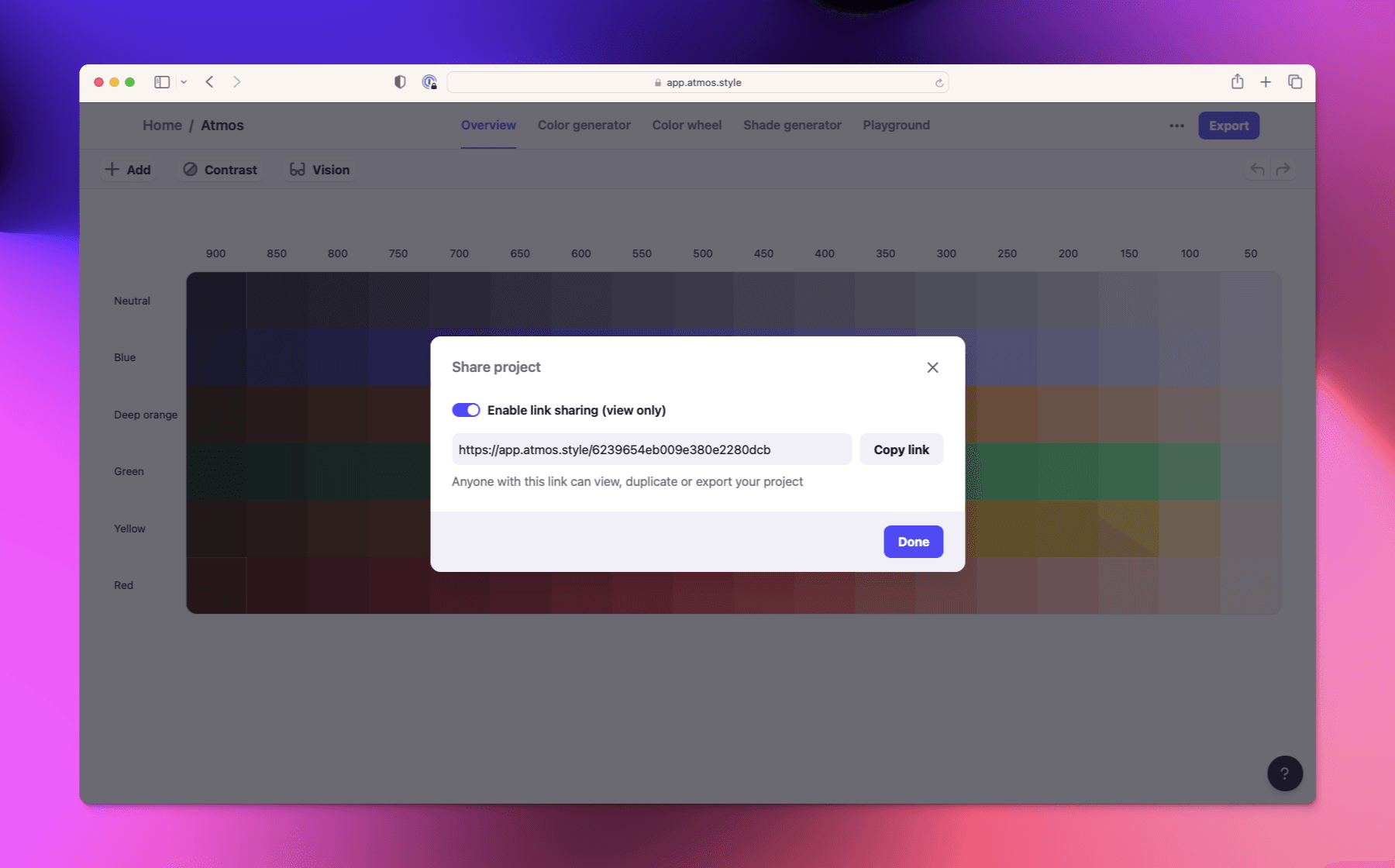
Share projectfrom the options. - Turn on project sharing in the modal that shows up
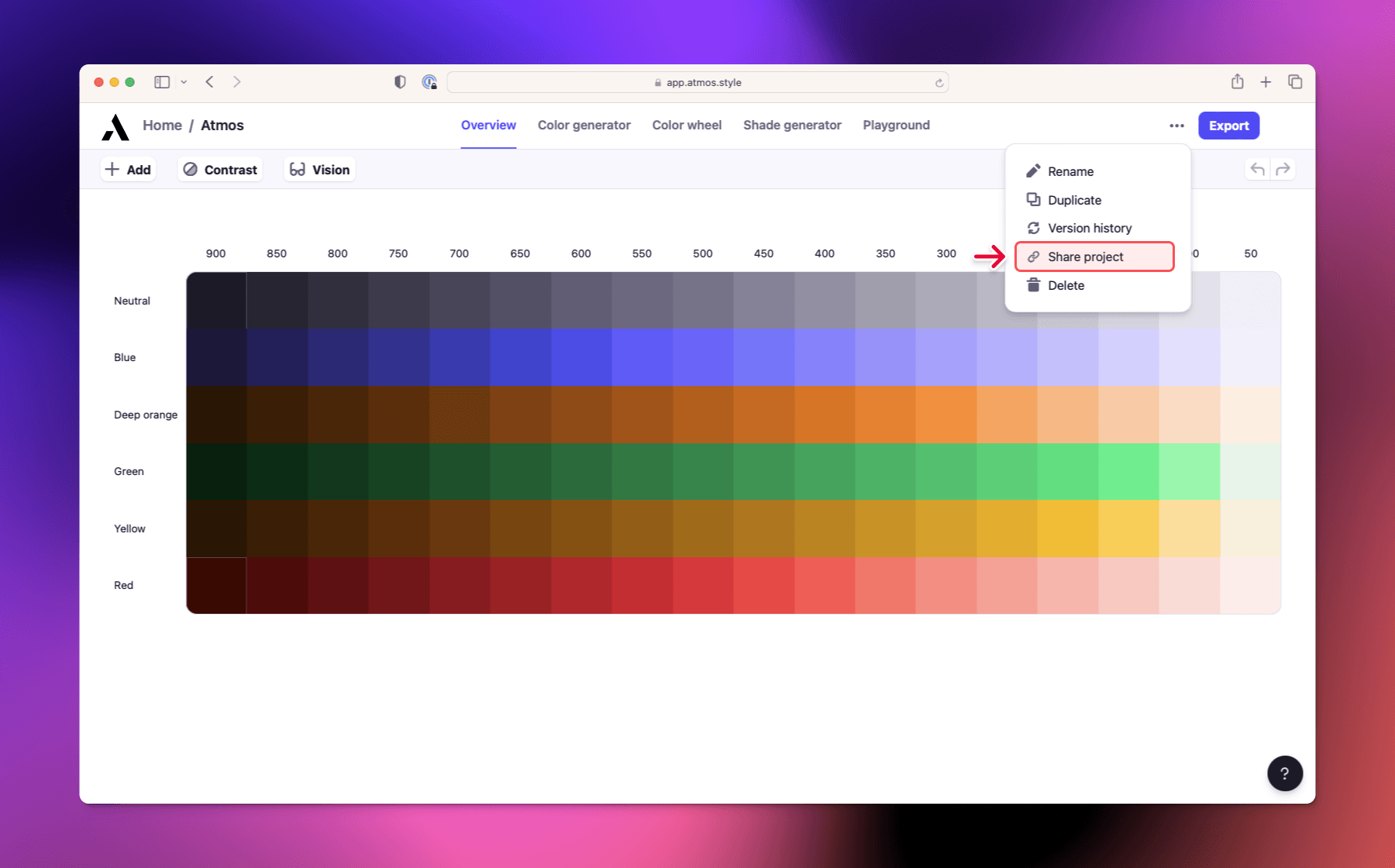
Once you have link sharing enabled you can also just copy the URL in your browser to quickly share your project.
Permissions
When sharing a project using the sharing link anyone can access your project without having an Atmos account. They can:
- View the project
- Export the project
- Duplicate the project to their account to make changes
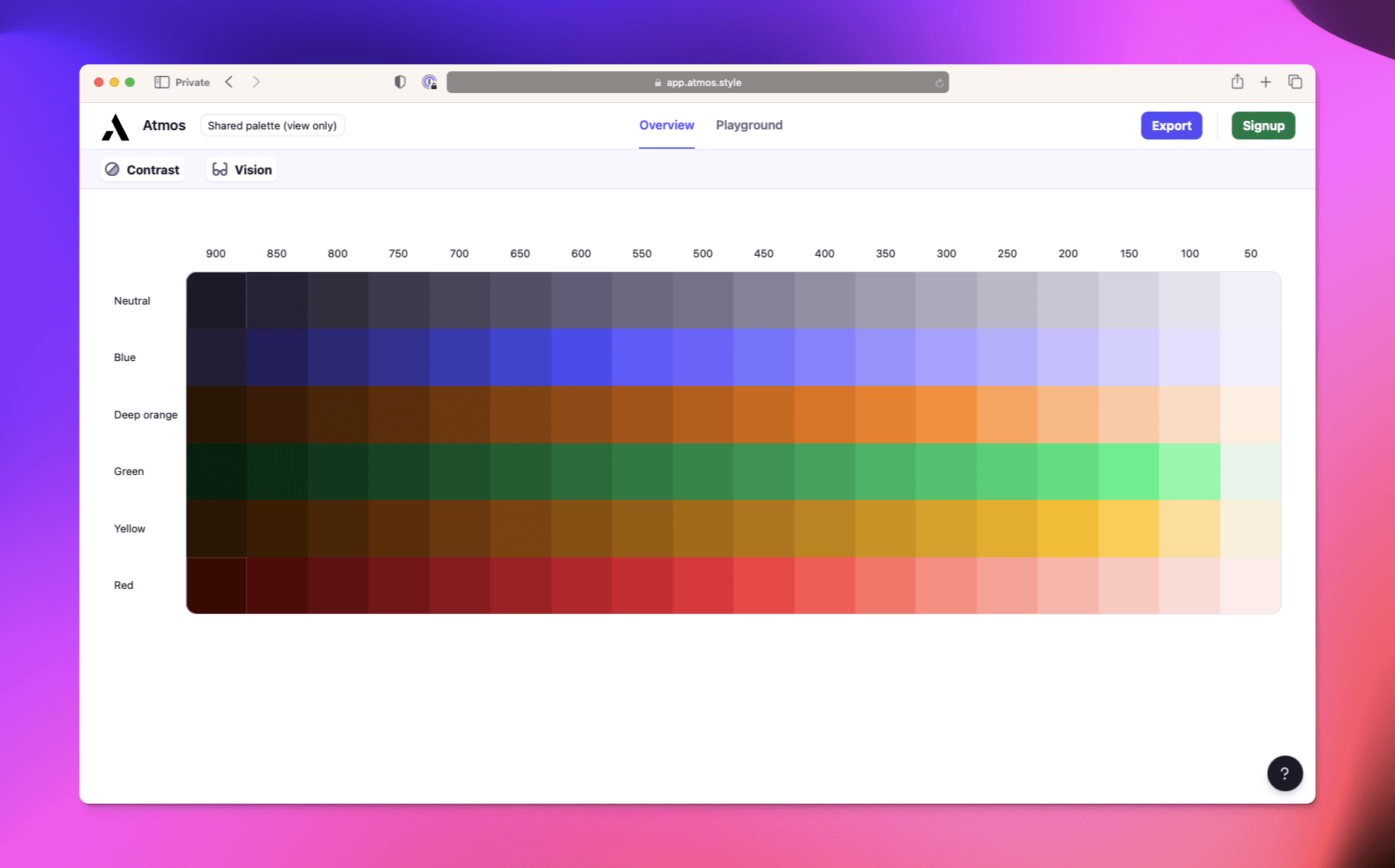
Shared project from the perspective of someone without Atmos account