Color import
Learn how to import colors into Atmos to create your color palette.
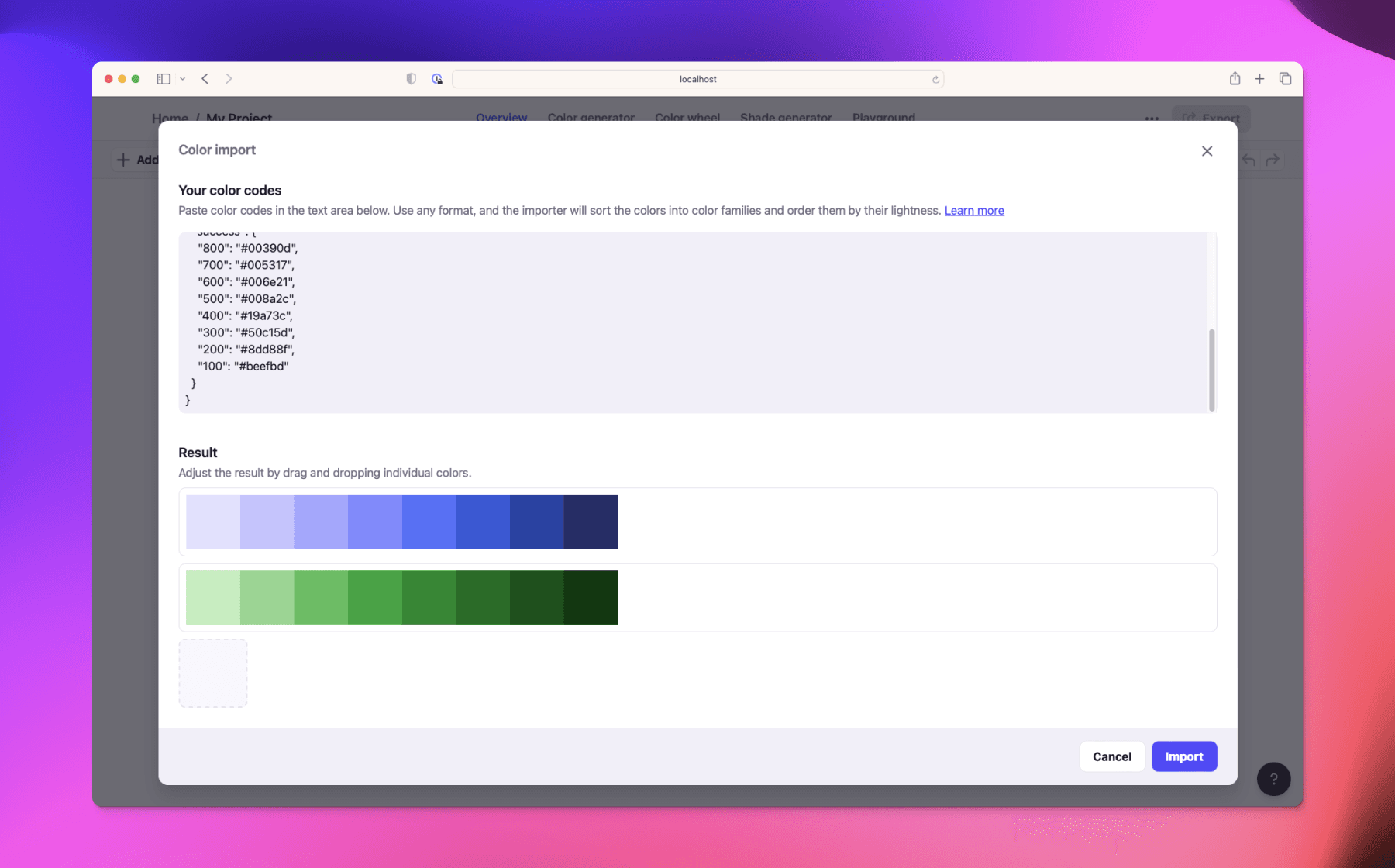
Import your colors into Atmos from anywhere to get a quick start. Whether you have colors in CSS, JSON, or just a list of HEX codes, Atmos can bring them in.
How to open color import
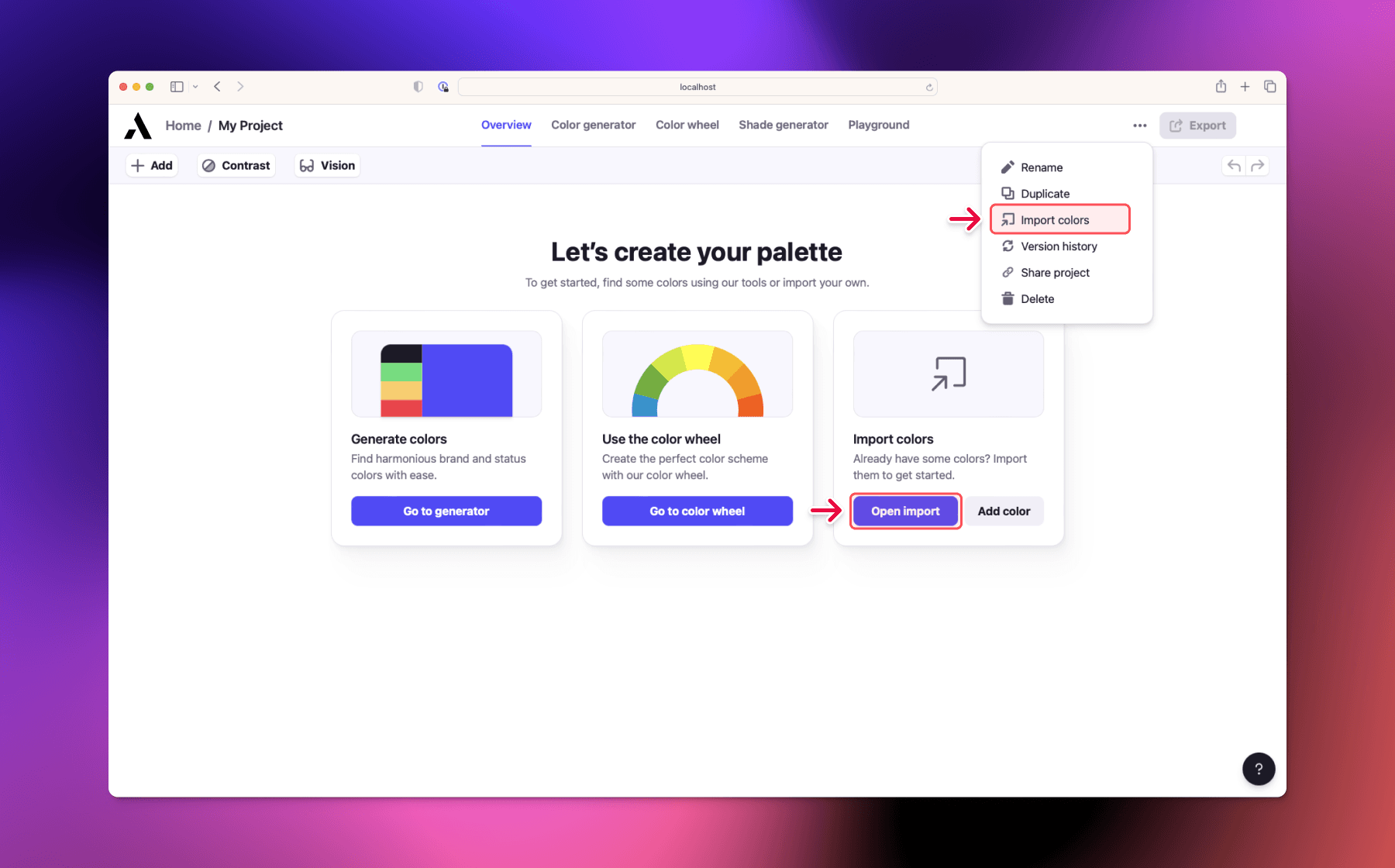
The color import dialog can be found on the main page of an empty project, or by clicking on the 3 dots in the top right corner and selecting Color import.
Import formats
Atmos supports importing from any string format that contains color codes. Simply paste your colors and Atmos will automatically detect the color codes, group them into color families, and sort them by lightness.
Supported color formats include:
- HEX (e.g.
#715bff) - RGB (e.g.
rgb(113, 91, 255)) - HSL (e.g.
hsl(248, 100%, 67.8%))
You can paste colors from CSS files, design tokens, JSON objects, or any other text that contains color values.
Importing from Atmos JSON
If you import JSON that was previously exported from Atmos, your colors and shades will be automatically named to match the original palette. This is useful when transferring palettes between projects or accounts.