Project color space
Learn how to change your projects color space and what is the difference between LCH and OKLCH.
Atmos supports two different color spaces: LCH and OKLCH. You can freely switch between them in the project toolbar. Changing color spaces doesn't cause any color loss so you can freely experiment.
How to switch color spaces
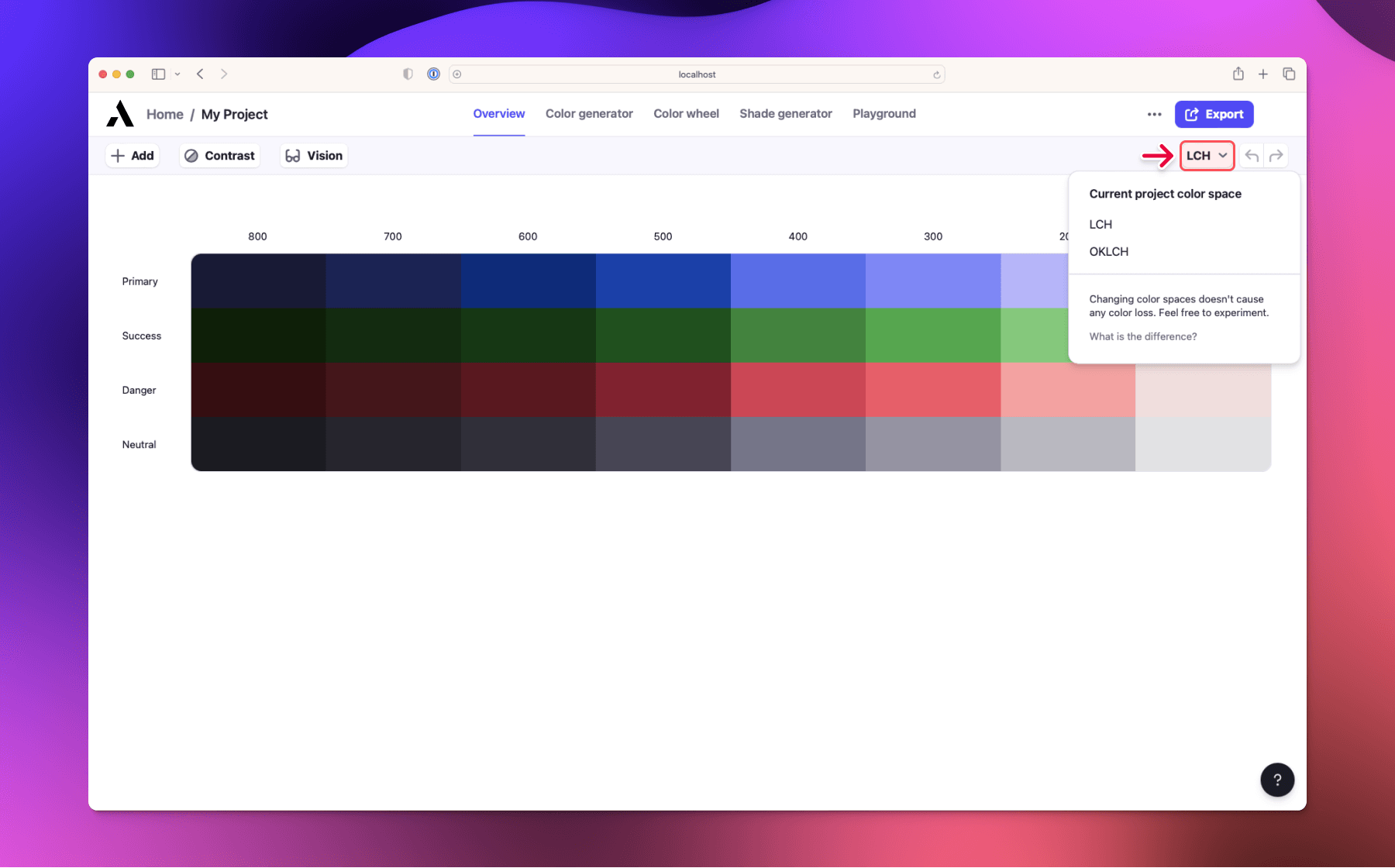
To change the color space of your project, click on the color space switcher in the project toolbar. The change won't affect your project in any way, it changes how the color tools work.
What is the difference between LCH and OKLCH
LCH is generally regarded as great due to its perceptual uniformity. However, LCH has issues with blue colors. They shift slightly towards purple when you adjust chroma and lightness, even though the hue remains the same. This can make it tricky to create different shades of blue.
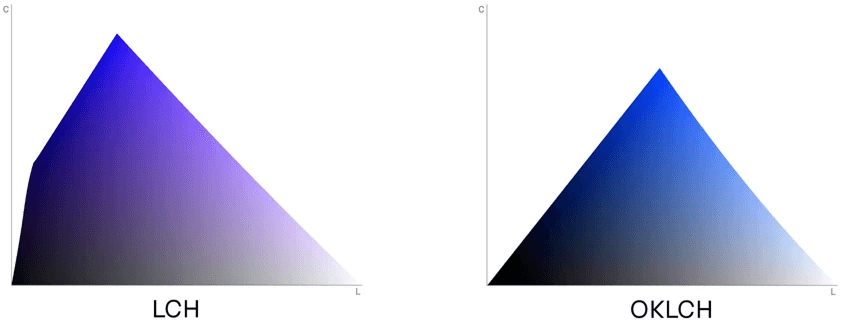
Blue shades of LCH vs OKLCH. Source OKLCH in CSS: why we moved from RGB and HSL
Apart from that, both color spaces function similarly, with one small difference being the range of chroma values they use. LCH's chroma values range from 0 to about 130, while OKLCH's chroma values only go up to about 0.45.
Read more about OKLCH in OKLCH in CSS: why we moved from RGB and HSL