LCH and OKLCH color tool
Create uniform and accessible color palettes
An OKLCH color picker and palette generator. Use the LCH and OKLCH color space to create palettes that are predictable, perceptually uniform, and have the right color contrast.
Primary
Success
Danger
Neutral
800
600
400
200
Primary - 800
Lightness
Chroma
Hue
Primary
800
Lightness
32.18
50.66
67.37
83.54
Chroma
0.1031
0.2018
0.1753
0.0863
Hue
275.12
269.35
279.1
287.54
Lightness
32.18
30.1
31.92
31.19
Chroma
0.1031
0.091
0.0938
0.0179
Hue
275.12
146.27
16.35
289
Helping 30,000+ world’s greatest designers create beautiful designs.
Playground
Make your color palette perfect
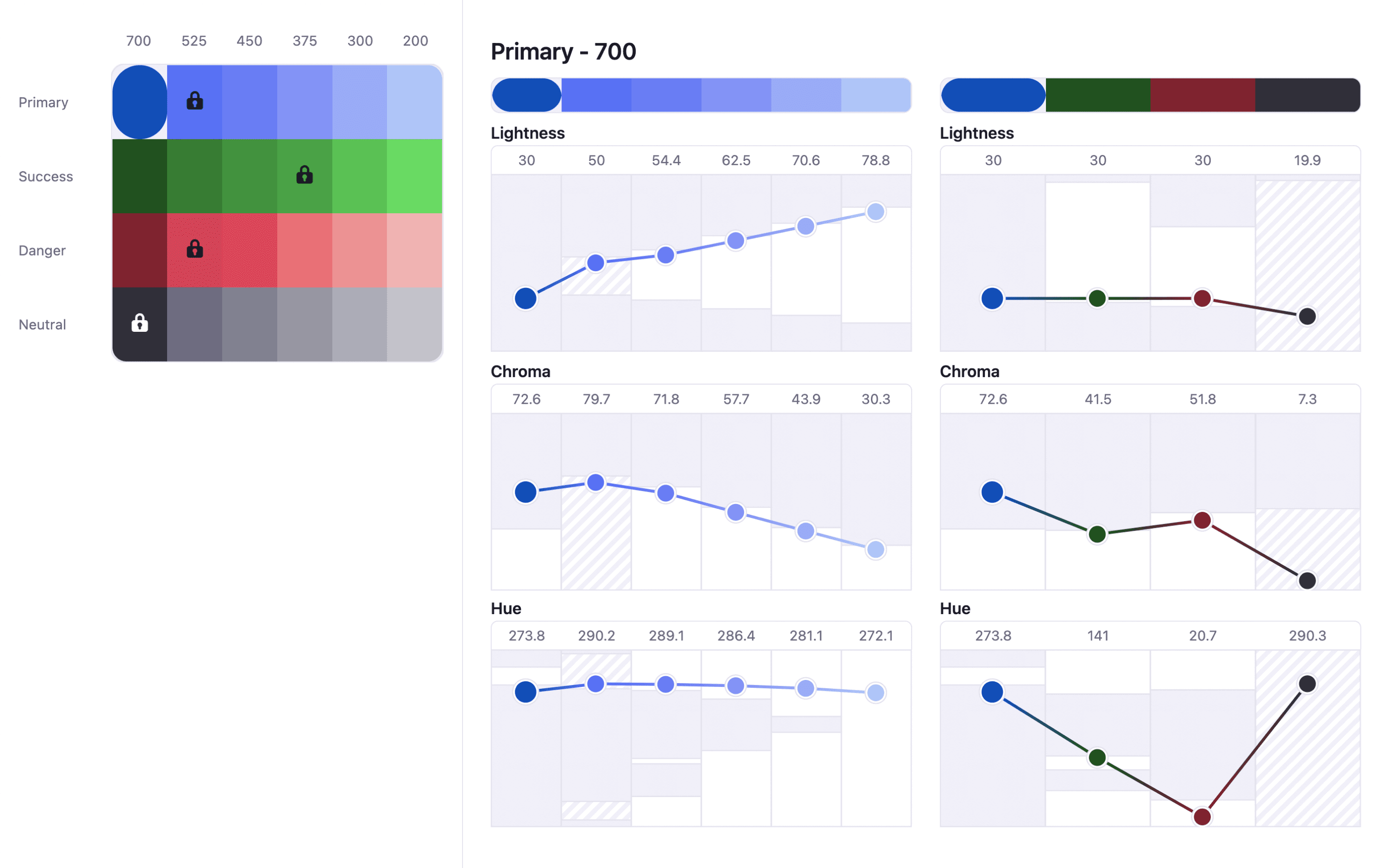
Be in control with color pickers and charts that use modern color spaces (LCH, OKLCH...) to give you the full picture of your palette.
Easing curves
Smoothly adjust colors using multiple easing curves.
Color gamut limits
sRGB, Display P3 or unlimited gamut?
Advanced color spaces
Create perceptually uniform palettes with LCH or OKLCH.
Precise control
Be in control with color pickers that give you the full picture.
What are designers saying?

Alex
@MetalHaze
Well, this is awesome!

Hennie
@andyhennie
I was convinced after this read. Their product is actually pretty neat.

SHOWROCK
@shonibareroqeeb
Since I’m not designing today, I have decided to share this simple powerful tool to make uniform color palette with clear accessible checks? Trust me, this will help you in your design system

Matthias Ott
@matthiasott.com
Just bought a lifetime license for Atmos because it is just sooo good for creating perceptually uniform color palettes – including a shade generator, a contrast checker, OKLCH support, CSS export, a Figma plugin, online sharing, and, and… 😍 👉 atmos.style (No affiliation, just genuine excitement! 😁)

Patrick Johansen
@patrickskov
another amazing tool for creating color scales in LCH.

Alberto Calvo
@intemperie.me
My new favorite is atmos.style, which works exactly as I expect, with access to OKLCH color space, P3 color gamut, and visual controls with curves and all the stuff you'd need to create something nice! 💖

Satori Graphics®
@satorigraphic2k
Love your tool and happy to spread awareness 👍🏻

jeremyelder
@jeremyelder
I like working in @atmos_style. Adding all of the variables and quickly selecting a swatch to key off of for contrast is fast.

Abhijeet
@iabhi1610
@atmos_style Best so far

Dusty Pomerleau
@dpom.bsky.social
hue-shifting on atmos is like a drug :)
Atmos’s toolbox
Create your palette
Atmos is a toolbox specialized for creating UI palettes. From finding colors, through generating shades, to fine-tuning your palette we've got you covered.
LCH & OKLCH FAQ
Pick a base color with the OKLCH color picker above, then adjust lightness, chroma, and hue to build the rest of the palette around it. Because OKLCH is perceptually uniform, changing lightness by a fixed amount produces an even step every time, so the palette generator can create a full scale without colors drifting brighter or duller than their neighbours. You can enter an existing color in any format, convert it to OKLCH, and export the finished palette as CSS.
LCH stands for Lightness, Chroma, and Hue. Unlike HSL, which maps poorly to how humans actually perceive brightness, LCH is perceptually uniform meaning that two colors with the same LCH lightness value will appear equally bright to the human eye. This makes it much easier to build consistent color palettes where lightness levels are predictable and contrast ratios behave as expected across different hues.
OKLCH is an improved version of LCH developed by Björn Ottosson. It fixes some edge cases in LCH where certain blue and purple hues could shift unexpectedly when lightness changed. OKLCH provides even more consistent perceptual uniformity across the full color spectrum, making it the preferred choice for modern UI color systems. It is now supported natively in CSS and all major browsers.
Both LCH and OKLCH are perceptually uniform color spaces that make it easier to build consistent palettes. OKLCH is a refinement of LCH that provides better uniformity, especially for blues and purples which could appear inconsistent in LCH. For practical UI design purposes, both work well, but OKLCH is generally recommended for new projects because of its improved accuracy and native CSS support.
HSL is widely used but has a significant flaw: colors with the same HSL lightness value look very different in terms of perceived brightness. A yellow at 50% HSL lightness looks much brighter than a blue at the same value. LCH and OKLCH correct this by basing lightness on human perception, so palettes built in these color spaces have more predictable contrast, more consistent shades, and better accessibility outcomes without manual adjustments.
A perceptually uniform color space is one where equal numerical changes in values produce equal perceived changes to the human eye. In non-uniform spaces like RGB or HSL, stepping the lightness by 10 might look like a dramatic shift in one hue and barely noticeable in another. In perceptually uniform spaces like OKLCH, the same numerical step looks consistent regardless of hue, making it far easier to generate smooth shade scales and maintain accessible contrast ratios across a full palette.